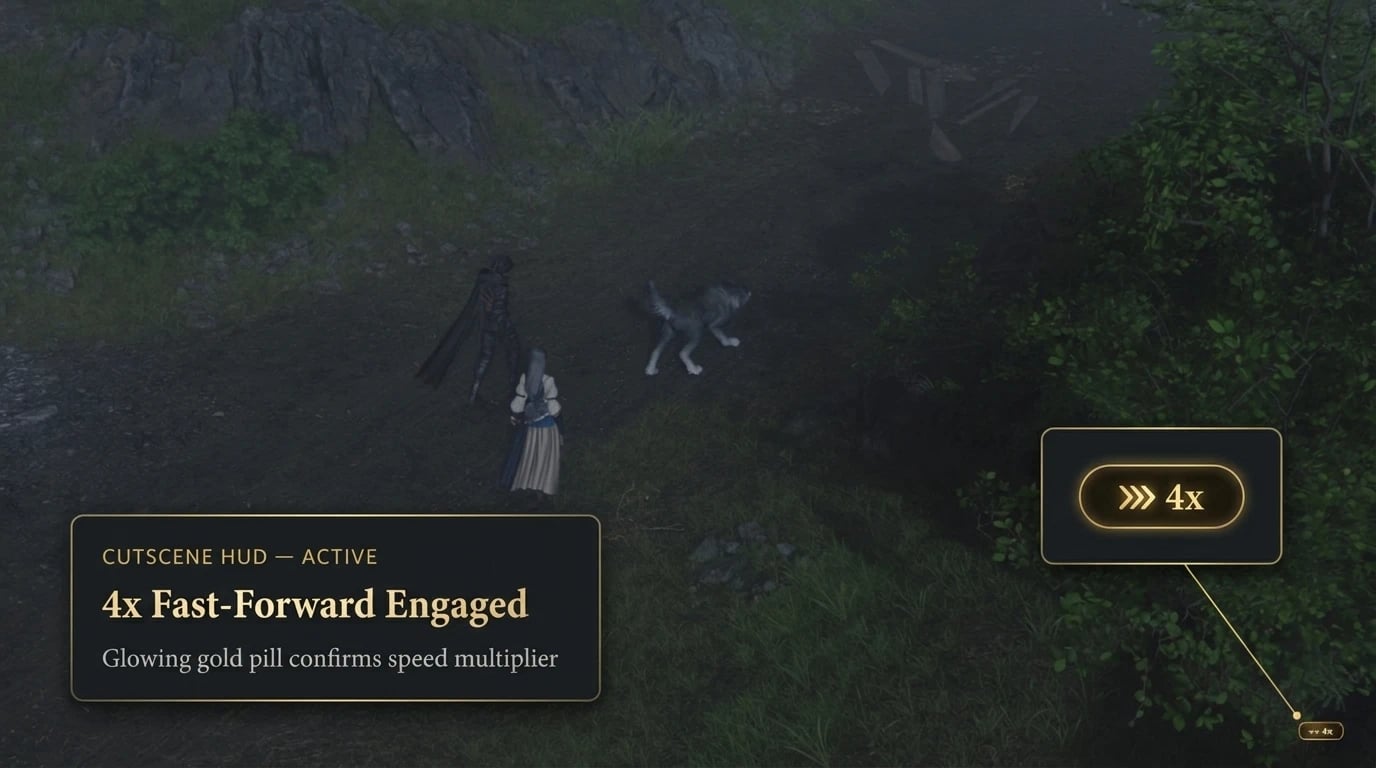
Cutscene Fast-Forward v1
Hold your standard Confirm/Skip button, Cross, A, or Space, to fast-forward in-engine cutscenes and pre-rendered .bk2 movies without skipping the story.
Required mods: Final Fantasy XVI Mod Loader (Reloaded-II) (Required mod manager, automatically downloads Reloaded.Hooks and SigScan on install)
Features
- In-Engine Cutscene Fast-Forward: Accelerates camera, animations, timeline, and subtitles cleanly in lockstep across multi-shot cutscenes. Never triggers during combat, exploration, or menus.
- Pre-Rendered Movie Fast-Forward: Works on both standalone FMVs and
.bk2movie segments embedded inside cutscenes, with automatic decode pacing so releasing the button stops immediately. - Universal Input: Automatically works with DualSense, DualShock, Xbox controllers, and Keyboard & Mouse via FFXVI’s native Confirm action, plus an optional extra keyboard key, Space by default, or XInput button.
- Hold or Toggle Mode: Choose between holding the button, the default, or pressing once to toggle Fast-Forward on or off.
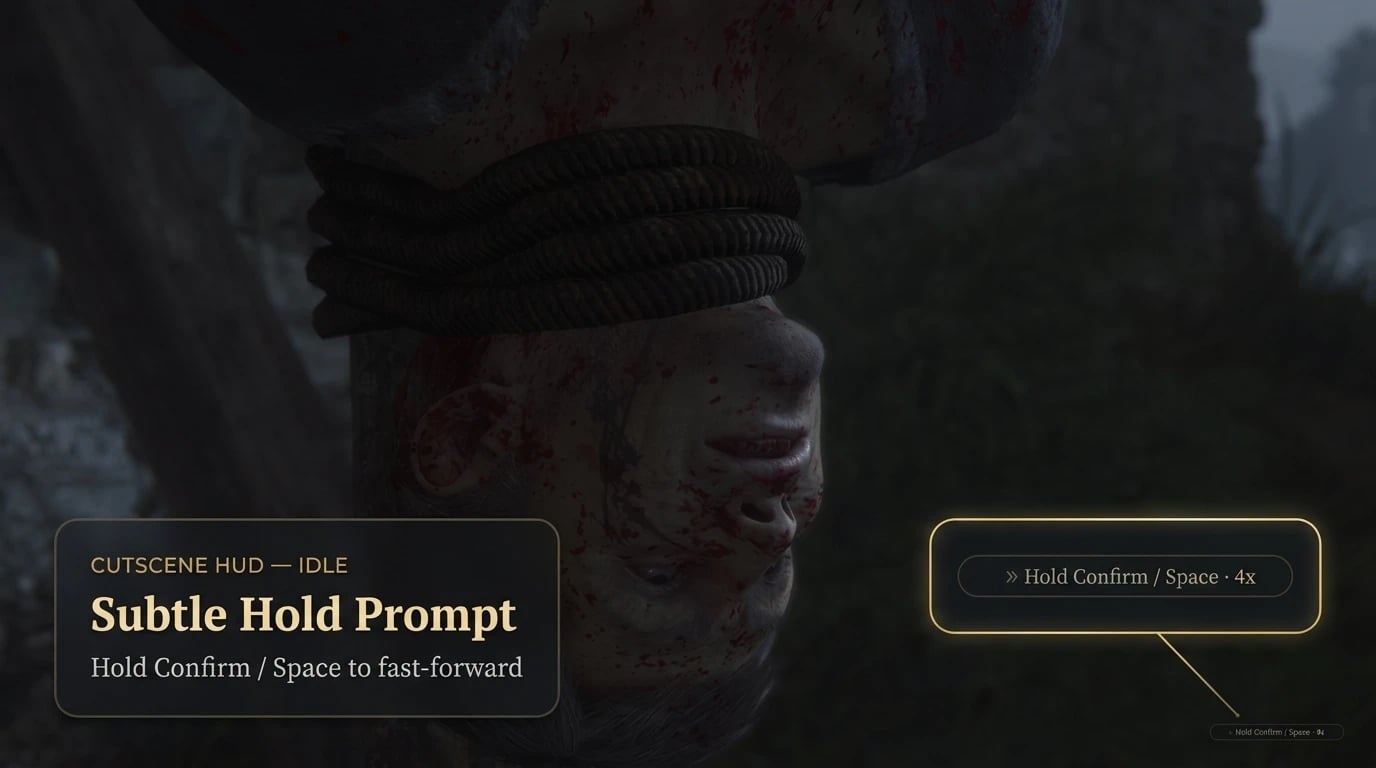
- Minimal Auto-Hiding HUD Indicator: Shows a small corner hint when a cutscene starts, hides itself, and lights up while fast-forwarding. Scales automatically for 1080p, 1440p, and 4K.
- Pause and Alt-Tab Safe: Automatically disables in the Cutscene Pause Menu, System Pause, and Active Time Lore. Works smoothly with controllers in Borderless Fullscreen even after Alt-Tabbing.
- Compatible with other mods: Uses zero DX12 hooks and works alongside FFXVIFix, DLSS / FSR Frame Generation, ReShade, Steam Overlay, and other Reloaded-II mods.
- Live Configuration: Adjust speed, controls, and HUD appearance directly in Reloaded-II while the game is running.
- Regular skippable NPC conversations are left untouched by default, so standard line-by-line skipping works like vanilla.
Specifications
- In-engine cutscene speed: 1x to 24x, default 4x.
- Pre-rendered movie speed: 1x to 8x, default 4x.
- Normal gameplay speed after releasing the button, pausing, or returning to gameplay: 1.0x.
- HUD hint duration: 4 seconds.
- Indicator scale: 0.40 to 1.50.
- Supported resolutions listed for automatic HUD scaling: 1080p, 1440p, and 4K.
Installation
Step 1: Install Reloaded-II
- Download Reloaded-II from GitHub, then run Setup.exe or extract Release.zip to a folder such as
C:ModdingReloaded-II. - Open Reloaded-II.
- Click the + (Add Application) icon on the left sidebar and browse to
C:Program Files (x86)SteamsteamappscommonFINAL FANTASY XVIffxvi.exe. - Click the FINAL FANTASY XVI icon on the left sidebar.
Step 2: Install Cutscene Fast-Forward
- Download the mod archive from the Files tab above, or use the Reloaded-II 1-Click button if available.
- Drag and drop the downloaded
.zipfile directly onto the Reloaded-II window. - Reloaded-II will automatically ask to download two required helper mods,
reloaded.sharedlib.hooksandReloaded.Memory.SigScan.ReloadedII. Click Yes / Download.
Manual install alternative: extract the ff16.qol.cutscenefastforward folder from the zip into Reloaded-IIMods, then restart Reloaded-II and accept the dependency prompt.
Step 3: Enable and launch
- Select FINAL FANTASY XVI in Reloaded-II’s left sidebar.
- Go to Manage Mods and toggle Cutscene Fast-Forward ON, green, along with its two dependencies.
- Click Launch Application in Reloaded-II to play.
Controls
- PlayStation, DualSense / DualShock: Hold Cross (×).
- Xbox Controller: Hold A.
- Keyboard & Mouse: Hold Space or your in-game Confirm key.
Configuration
In Reloaded-II, right-click Cutscene Fast-Forward -> Configure Mod. All changes apply live without restarting the game.
- Fast-Forward Speed: Cutscene multiplier, 1.0 – 24.0, default 4.0.
- Movie (.bk2) Fast-Forward Speed: Pre-rendered video multiplier, 1.0 – 8.0, default 4.0.
- Activation Mode: Hold, the default, or Toggle.
- Controls: Toggle the native Confirm button, choose an Extra Keyboard Key, Space, Tab, E, F, LeftShift, RightControl, Period, None, or add an Extra XInput Gamepad Button.
- On-Screen Indicator (HUD): Toggle on or off, adjust the corner, BottomRight, TopRight, BottomLeft, TopLeft, set Indicator Scale, 0.40 – 1.50, set Indicator Opacity, and set Auto-Hide Idle Hint (Seconds), with 4.0 as the default and 0 meaning always visible during cutscenes.
- Scene Scope: Independently toggle In-Engine Cutscenes, Pre-Rendered Movies (.bk2), Simple NPC Dialogues, and Experimental Side-Scenes.
Compatibility
Built and verified for FINAL FANTASY XVI PC (Steam v1.03, no-Denuvo).
The mod does not hook DirectX 12 and has been tested alongside FFXVIFix and FrameGen at 4K. It is compatible with DLSS / FSR Frame Generation, ReShade, Steam Overlay, other Reloaded-II mods, and ultrawide fixes.
FAQ and troubleshooting
Q: What happens to voice dialogue when fast-forwarding?
A: Voice lines play at normal pitch, with no sped-up chipmunk audio, and cleanly move on as the next line begins, while subtitles remain synced with the fast-forwarded cutscene.
Q: Why do 4K pre-rendered movies cap around 3x – 4x even if I set Movie Speed to 8x?
A: Pre-rendered .bk2 videos are decoded by Bink2 on your CPU. Built-in backpressure automatically matches your CPU’s maximum smooth decode rate so the video never lags behind when you release the button.
Q: Something isn’t working, how do I report a bug?
A: Right-click the mod in Reloaded-II -> Configure Mod -> enable Debug Mode, reproduce the issue in-game, and share the generated debug.log from Reloaded-IIUserModsff16.qol.cutscenefastforwarddebug.log.