RenoDX – HDR Fixes and Enhancements for Final Fantasy XVI v1.0
Partial rewrite of the game’s DX12 post processing shaders to fix issues in tonemapping, brightness scaling, and bloom in HDR.
THIS IS A RESHADE ADDON NOT RESHADE FX
KEEP THE IN-GAME BRIGHTNESS SLIDER AT 5
FOLLOW INSTRUCTION CAREFULLY, THIS MOD HAS AN EXTRA STEP COMPARED TO OTHER RENODX MODS
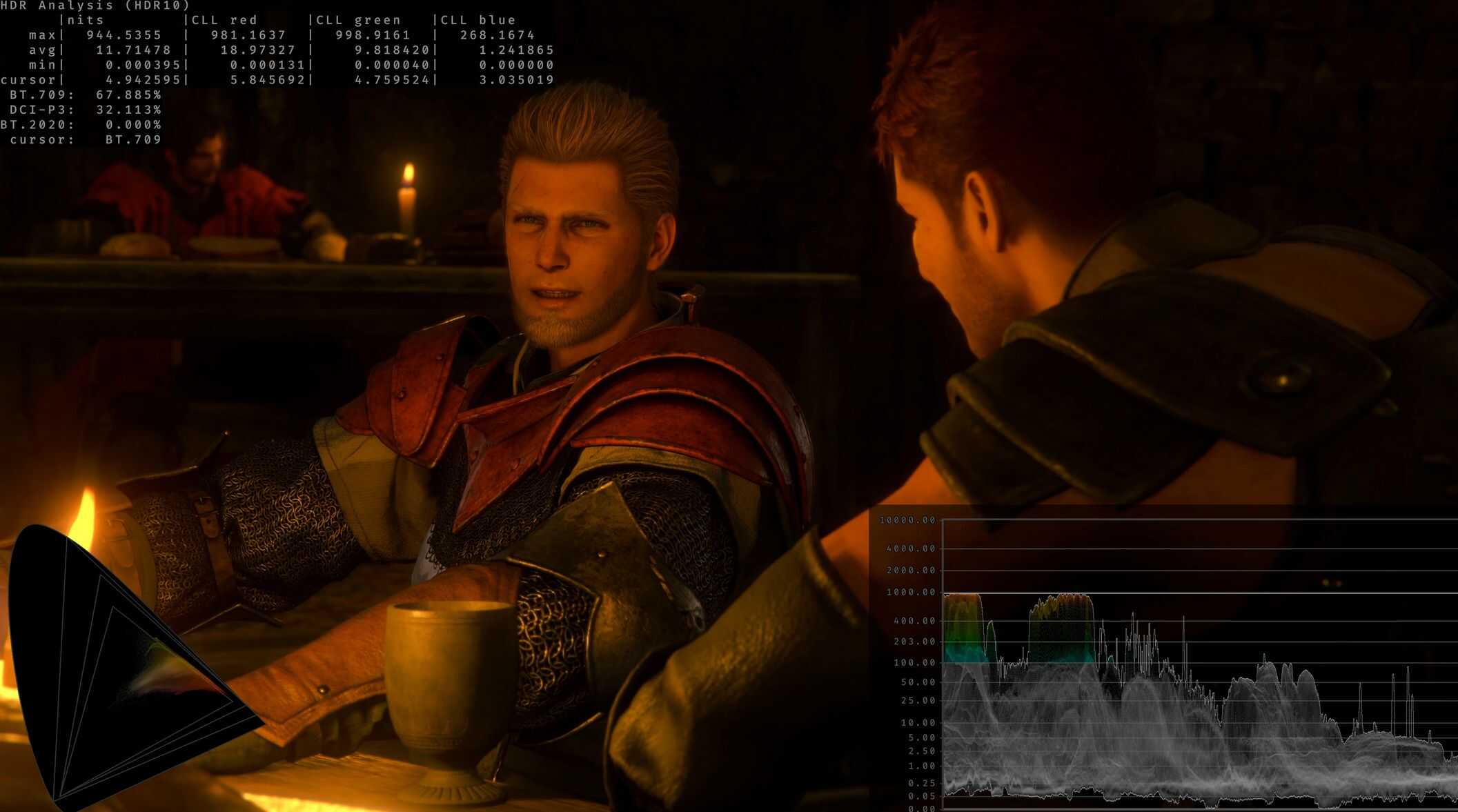
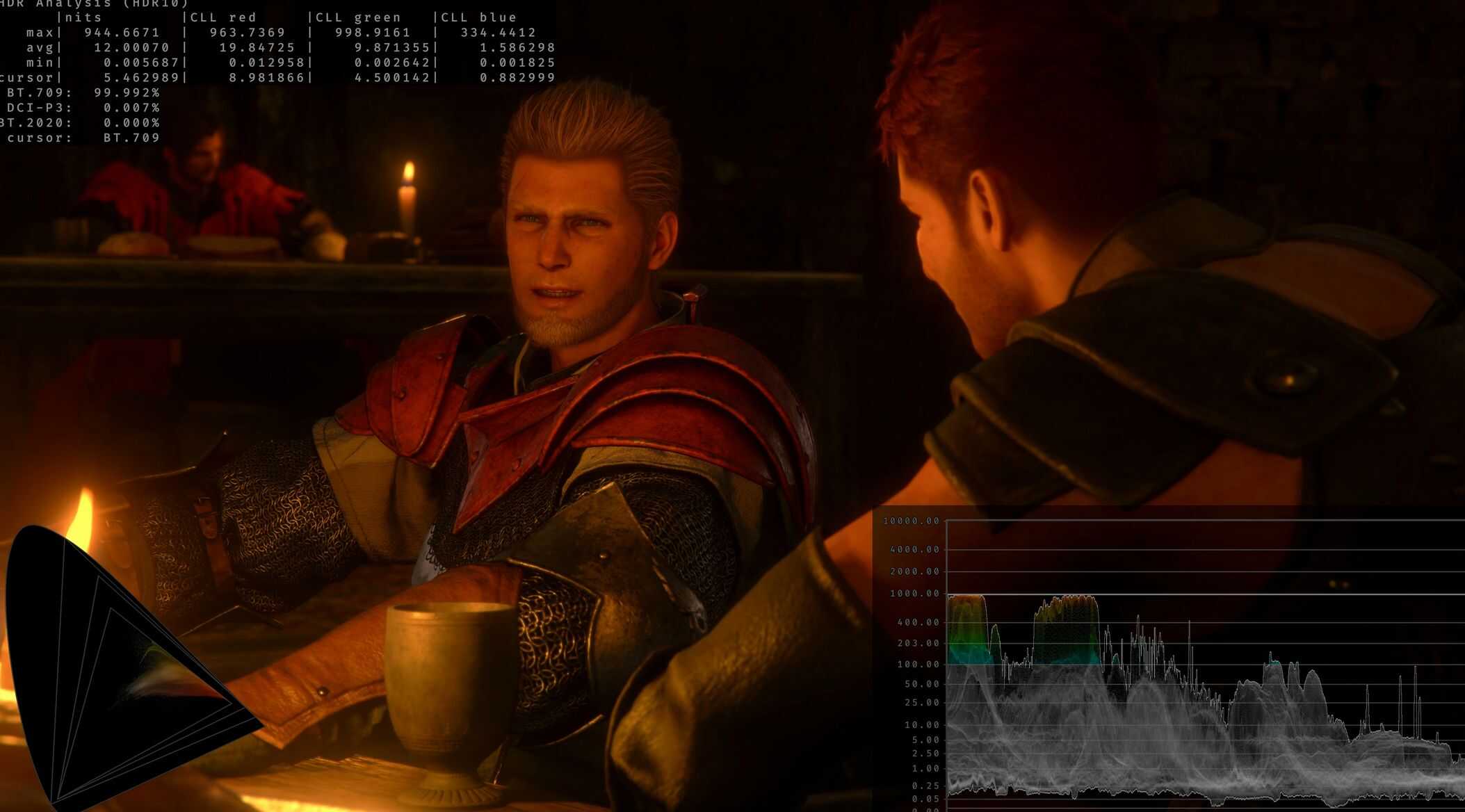
This mod fixes issues in Final Fantasy XVI that cause severe hue shifts, smearing in shadows, incorrect contrast/saturation when trying to adjust the brightness slider, and bloom controls.
Instructions:
Install ReShade 6.7.2 with add-on support (don’t need to select any shaders or addons in the setup)
Delete the Final Fantasy XVI folder in `C:\Users\Musa\AppData\Local\SquareEnix\`. This will need to be done both on initial install and EVERY TIME YOU UPDATE THE MOD
Copy renodx-ffxvi.addon64
into the game folder (the same folder where you installed Reshade).
Run the game.
Press
to open the Reshade UI. Disable Effect Runtime Sync and Generic Depth in the ReShade add-ons tab.
Restart, now adjust RenoDX’s settings to your preferences. Defaults are recommended for most users. Set the in-game brightness slider to 5.
Core Issues Fixed
Brightness Scaling Issue:
The game’s brightness slider is actually a per-channel contrast slider
This means that adjusting the in-brightness slider actually just adjusts contrast, shifts hues, and oversaturates/undersaturates shadows depending on whether you lower or raise the slider setting
Fix: The mod adds a game brightness slider in the RenoDX menu that is a multiplier on brightness. This allows brightness adjustment without breaking the visuals.
Tonemapping Issues:
The game’s tonemapper works per-channel. While this does offer the benefit of saturation in shadows and blowout in highlights, this comes at the trade off of shifted hues and smearing in shadows.
Fix: Tonemap by luminosity (similar to luminance) and use use the purity (similar to saturation) of per channel tonemapping to saturate shadows and desaturate highlights. This results in consistent hues and no smearing in shadows.
Bloom Issues:
– The game’s bloom is very strong and at times washes out the entire image.
– Fix: Add a bloom strength slider and a bloom scaling slider. Bloom scaling works by changing the way bloom blends so that it has reduced strength on darker backgrounds. This results in shadows not being as lifted by bloom.
Features
– Three tonemap modes: Vanilla, None, Vanilla+
– Peak/Game brightness controls
– Color grading controls (exposure, highlights, shadows, contrast, saturation, highlight saturation, dechroma, and flare)
– Bloom strength and scaling controls
Results
– Functional brightness slider
– Improved tonemapping
– Improved bloom application
Compatibility
– External DLLs/injections such as Optiscaler/SpecialK may not work, please test without them first to confirm whether the mod works without them. I can’t make any guarantees when it comes to compatibility in this case as all these mods and RenoDX hook into the game on a low level.
About RenoDX
RenoDX, short for “Renovation Engine for DirectX Games”, is a toolset to mod games. Currently it can replace shaders, inject buffers, add overlays, and write user settings to disks. Because RenoDX uses ReShade’s add-on system, compatibility is expected to be pretty wide. Using ReShade simplies all the hook necessary to tap into DirectX without worrying about patching version-specific exe files.